Most solopreneurs I talk to have roughly the same setup: a spreadsheet they stopped updating in March, a LinkedIn inbox full of half-finished conversations, a few names in their notes app, and a vague feeling that they should "probably get a CRM".
So, do solopreneurs need a CRM? I'm going to give you an honest answer, including the bit where I tell you that you might not need one yet. I've spent 10+ years in B2B sales, I've used the big team CRMs, and I built Sollo for one-person businesses, so yes, I have a horse in this race (which is exactly why I'll also tell you when a spreadsheet is perfectly fine).
TL;DR: What you need on day one is a simple sales system (CRM software can wait): a list of leads, a clear next step for each one, and a weekly review. Once you have more than a handful of live conversations, start forgetting follow-ups, or can't say what's in your pipeline, a simple CRM built for one person pays for itself.
Do I really need a CRM as a solopreneur?
Probably not on day one. You need a sales system that tracks who you're talking to, what stage they're at and what happens next, and a spreadsheet can hold that for your first few clients. A CRM earns its place once your head, inbox and spreadsheet stop keeping up, usually when follow-ups slip and you lose sight of your pipeline.
All a CRM really does is hold your sales system, so if you haven't got one yet (a clear ideal client, daily outreach, a call structure and a follow-up rhythm), it just gives you a nicer place to store the chaos.
That's why I always get people to sort out the process first. If that's where you are, read the 7-step sales system for solo consultants, then come back and decide which tool should hold it.
Signs you've outgrown your head, inbox or spreadsheet
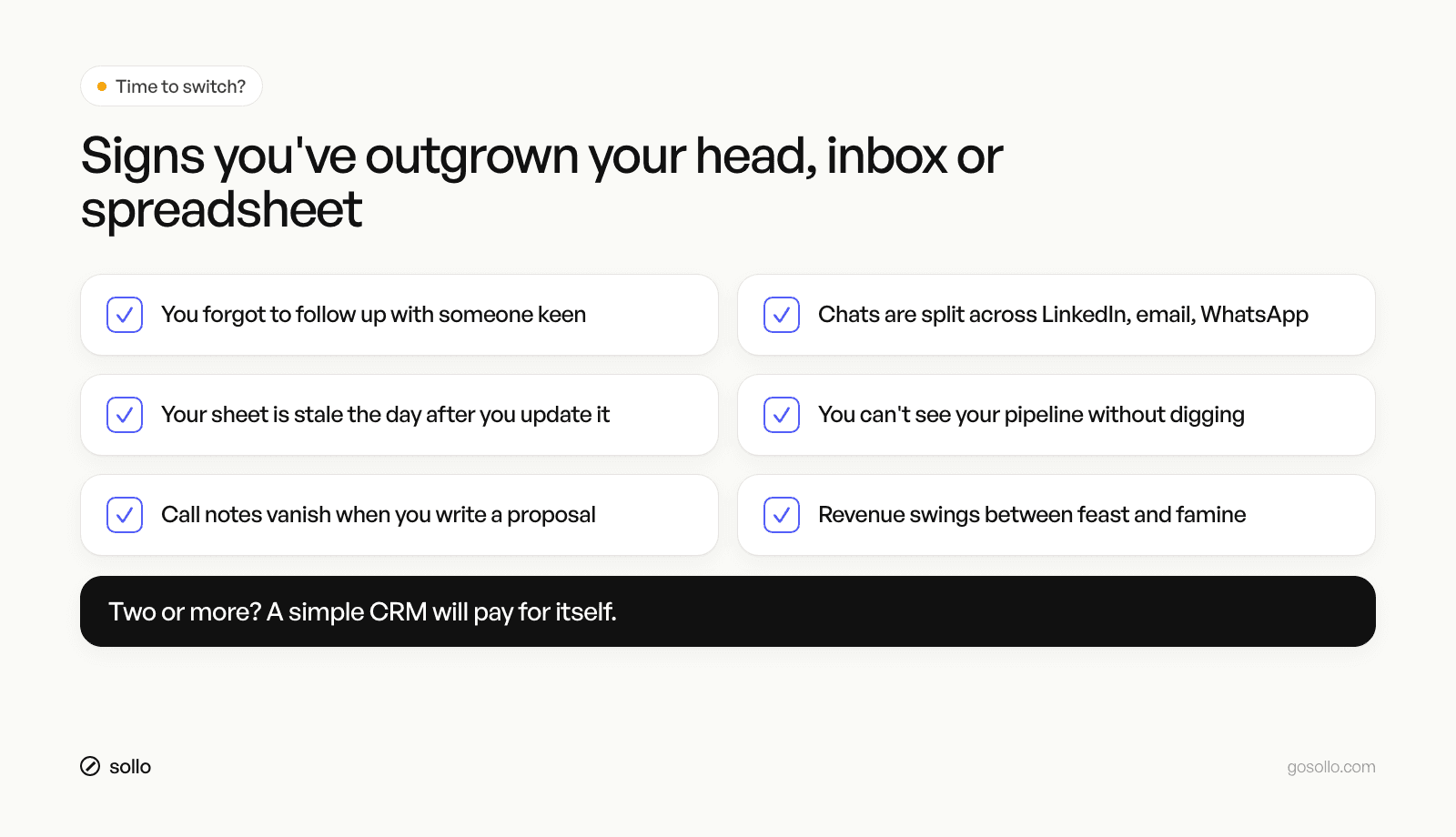
You're ready for a CRM when you find yourself nodding along to two or more of these:
You've forgotten to follow up with someone who was keen, and found out weeks later.
Conversations are spread across LinkedIn, email and WhatsApp, and you can't remember where you said what.
Your spreadsheet is out of date the day after you update it.
You can't answer "how much is in my pipeline?" without an hour of digging.
You go looking for call notes when you sit down to write a proposal, and they're nowhere.
Your revenue swings between feast and famine because outreach stops when client work gets busy.
Every one of those comes down to visibility, which is exactly what a good CRM should give you.
Does a CRM really help with feast or famine revenue?
A CRM helps with feast or famine revenue only if it keeps you prospecting and following up while you're busy with clients. The famine usually starts months earlier, when outreach stopped during a busy patch. A CRM with reminders and a visible pipeline shows you that gap early, so you can refill it before revenue drops.
Feast or famine is the most common pattern I see in one-person businesses. You sign a few clients, get flat out delivering and stop reaching out, and three months later the projects end with nothing lined up behind them.
What fixes it is unglamorous, steady work. Reach out to five new people a day, follow up consistently, and look at four numbers every Friday (contacts, conversations, calls and clients). A CRM makes that routine easier to stick to when you're busy, and it shows you the drop in activity before it starts to hurt, although you do still have to do the outreach yourself.
It also shows you what you've actually got. Clare Kitching, an AI consultant, put it like this after moving her pipeline into Sollo:
"I thought I had about $180k of deals in play. It was closer to $400k. I've since written six proposals in three weeks and already won two."
Clare had plenty of leads all along and simply couldn't see them, so once everything was in one place it was obvious who she needed to follow up with.
Why do team CRMs feel so heavy for one person?
Team CRMs like HubSpot, Pipedrive and Attio are capable, flexible tools designed around sales teams, with multiple reps, managers, permissions, reporting and custom pipelines. All of that is useful when you have a team. On your own, it tends to mean more setup, fields and features than you need, and the CRM turns into admin you avoid.
To be fair to them, these are good products, and if you're hiring a sales team or you need deep marketing automation and custom reporting, a team CRM is a sensible choice. Plenty of solopreneurs use them happily, too.
For a one-person business, the friction usually shows up in three places:
Setup. You're designing pipelines, properties and views for a team of one.
Finding leads. Many CRMs assume leads arrive from somewhere else, so you end up with a separate tool for prospecting.
Conversations. If your deals happen in LinkedIn DMs and WhatsApp as well as email, you're often copying things in by hand.
Priscila Silva Araujo, a solopreneur, described the gap well:
"I felt stuck between a messy Excel sheet and ultra-complicated CRM platforms. Sollo falls in the right middle. Robust yet simple."
What should a solopreneur actually look for in a CRM?
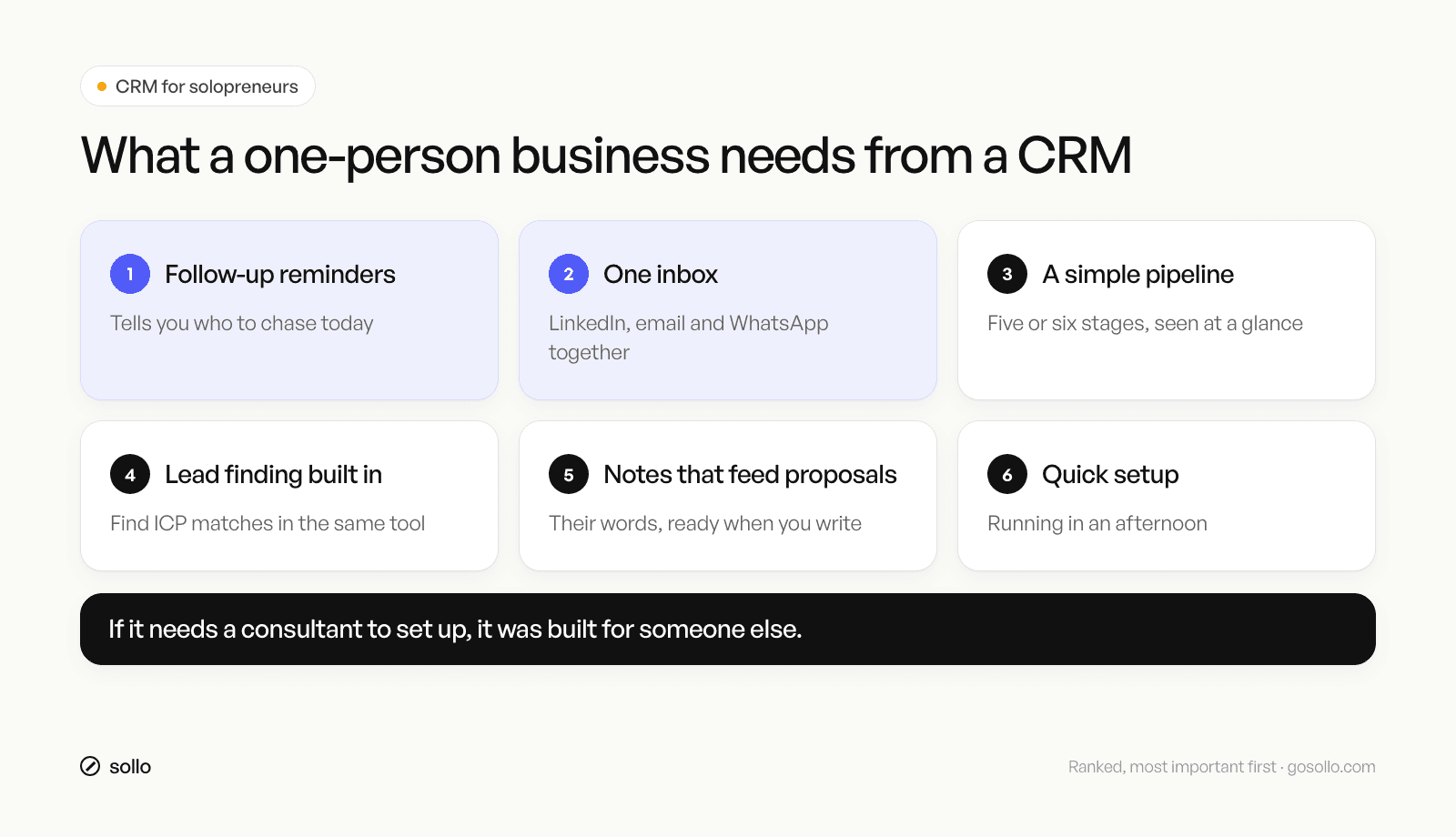
A solopreneur should look for a CRM that finds leads, puts LinkedIn, email and WhatsApp in one inbox, reminds you who to follow up with, shows a simple pipeline, carries your call notes into proposals, and can be set up in an afternoon. If it needs a consultant to configure it, it was probably built for someone else.
This is how I'd rank the criteria for a one-person business, starting with the most important:
Follow-up reminders. In The JOLT Effect, Matthew Dixon and Ted McKenna found that 40% to 60% of buying processes end in no decision. Plenty of those are deals that simply went quiet, so if the tool doesn't tell you who to chase today, the rest barely matters. (More on this in how to follow up with prospects.)
One inbox. Your conversations happen across LinkedIn, email and WhatsApp, and having them in one place, attached to the right person, saves you from digging.
A simple pipeline. Five or six stages you can take in at a glance, so you know what's in play within about ten seconds.
Lead finding built in. If you do outreach, finding people who match your ideal client profile in the same tool means one less subscription and one less round of copy and paste.
Notes that feed proposals. Your discovery notes, in the client's own words, should be right there when you write the proposal.
Quick setup. If you can't get going in an afternoon, you probably won't use it.
If you're non-technical, weight that last one heavily, because the easiest CRM is whichever one you'll actually open every morning.
If you'd like a way to score tools against these criteria before you commit, the free Sollo Sales Vault has templates and worksheets for the whole sales system, including one for tracking your Friday numbers.
What are my options: spreadsheet, team CRM or a CRM built for one?
You have three realistic options. A spreadsheet or Notion is free and flexible but relies on you to remember everything. A team CRM like HubSpot, Pipedrive or Attio is capable and scales with a team, though it takes more setup. A CRM built for one person trades some of that depth for speed, simplicity and prospecting in one place.
Spreadsheet or Notion | Team CRM (e.g. HubSpot, Pipedrive, Attio) | CRM built for one person (e.g. Sollo) | |
|---|---|---|---|
Best for | Your first few clients | Businesses with, or hiring, a sales team | Coaches, consultants, fractional execs, solo founders |
Setup | Minutes, but you design it all | More setup, very configurable | Quick, opinionated defaults |
Follow-up reminders | Manual | Yes | Yes |
Conversations | Copied in by hand | Strong on email, other channels vary | LinkedIn, email and WhatsApp in one inbox |
Finding leads | Separate tool | Varies, often a separate tool or add-on | Built in |
Reporting and customisation | Whatever you build | Deep | Simpler, focused on one person's pipeline |
Main risk | Goes stale, follow-ups slip | Feels like admin, gets avoided | Less suited if you grow into a big team |
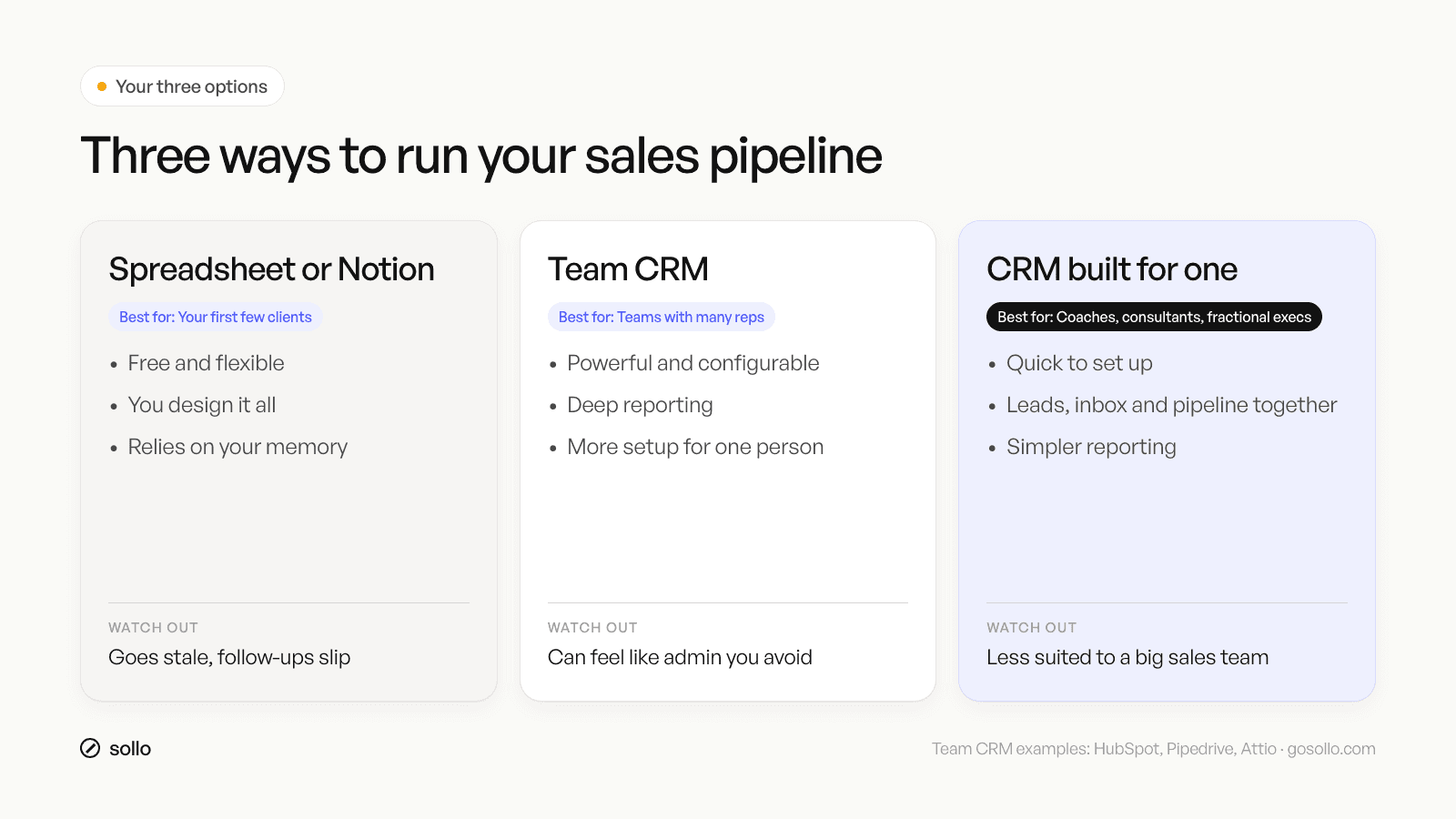
You'll notice that no option wins every row, which is really the honest answer here, because the right choice depends on where your business is right now.
How do you choose the right CRM for your business?
Choose based on your stage and how you sell. If you have a few clients and little outreach, stay on a spreadsheet and build the habit. If you're building a sales team or need deep customisation, choose a team CRM. If you're a one-person business doing regular outreach across several channels, choose a CRM built for one person.
Working through three questions should get you to an answer.
Step 1: How many live conversations do you have?
My rule of thumb is that if it's under ten and you're keeping up, a spreadsheet is fine and your effort is better spent on outreach. Once it's more than that, or you're starting to lose track, it's time to move up.
Step 2: Are you planning to hire salespeople?
If you're planning to hire in the next year or so, a team CRM will grow with you and the setup is worth it. If you plan to stay solo (or mostly solo), there's no point paying for complexity you won't use.
Step 3: Where do your deals actually happen?
If your sales happen over LinkedIn DMs, email and the odd WhatsApp, look for one inbox across those channels, and if you also need to find new leads every week, look for lead finding in the same tool. Whatever you choose, try it with your real pipeline for a week before you commit. If you're weighing up a spreadsheet specifically, I've written a practical guide on spreadsheet vs CRM and how to set up a simple pipeline.
FAQ
What is the best CRM for solopreneurs?
The best CRM for a solopreneur is the one you'll use every day. Look for follow-up reminders, one inbox across your channels, a simple pipeline, built-in lead finding and quick setup. Team CRMs like HubSpot or Pipedrive suit growing teams, while tools built for one person, like Sollo, focus on simplicity and prospecting.
What's the easiest CRM for non-technical founders?
The easiest CRM for a non-technical founder is one with sensible defaults, so you aren't designing fields and pipelines from scratch. You should be able to import your contacts, see your pipeline and get follow-up reminders within an afternoon. If a tool needs a consultant or a long setup project, it probably wasn't built with you in mind.
Is there a CRM built for coaches and consultants?
Yes, some CRMs are designed around one-person businesses rather than sales teams. Sollo, for example, is built for coaches, consultants, fractional executives and solo founders, and it combines lead finding, a unified LinkedIn, email and WhatsApp inbox, a pipeline with follow-up reminders and an AI sales agent in one place.
Can I just use a spreadsheet or Notion as my CRM?
You can, and for your first few clients it's often the right call because it's free and flexible. The trouble starts when you have more live conversations than you can remember, since a spreadsheet won't remind you to follow up or hold your conversation history. That's usually the moment to switch.
When should a solopreneur switch to a CRM?
Switch when follow-ups start slipping, when conversations are spread across several channels, or when you can't say how much is in your pipeline without digging. For most solo consultants that happens once they're doing regular outreach and have more than about ten live conversations at once (a rule of thumb, not a law).
How can Sollo help?
Sollo is the sales platform built for one-person businesses. It finds leads that match your ideal client from a database of 380 million people, puts LinkedIn, email and WhatsApp in one inbox, and gives you a simple pipeline with follow-up reminders so nobody keen slips through the cracks.
The AI sales agent drafts outreach, preps your calls and builds proposals from your discovery notes, so the whole sales system runs from one place instead of five tabs and a spreadsheet. If you're still happy with a spreadsheet, that's fine too, so build the habit first and come back when it stops keeping up.